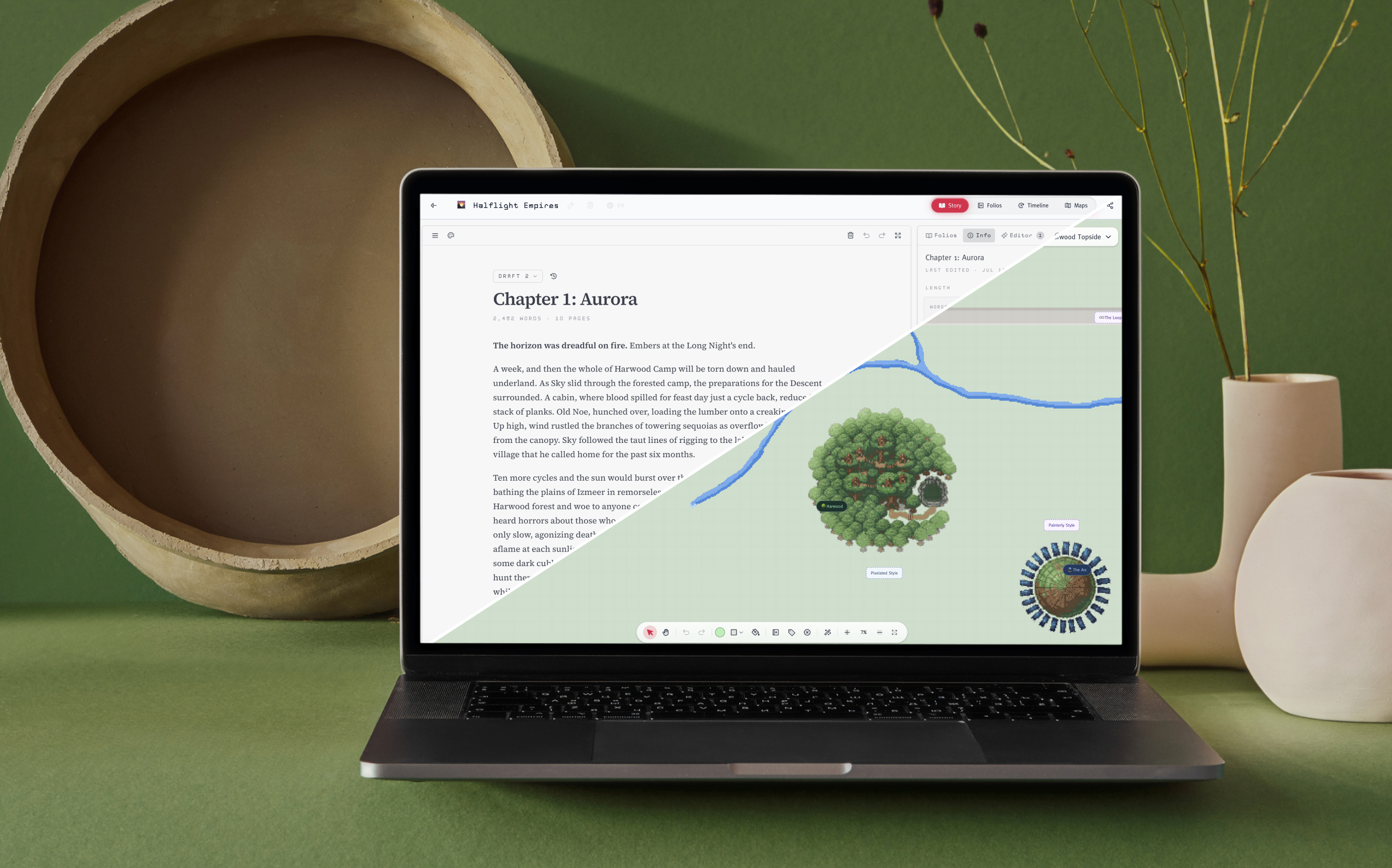
When I first sketched out StoryMode, the idea was simple: take everything I loved about Folio and shape it into a full-featured studio built specifically for writers. Not another distraction-free editor. A place where the whole book lives: the draft, the lore, the timeline, the map, and the quiet AI editor who reads over your shoulder without ever grabbing the pen.
A year in, StoryMode has grown into exactly that. Here's a tour of what it can do... and more importantly, how it helps a story actually get finished.

The editor is deliberately full-bleed and quiet. Chapters live in a left rail; drafts stack behind each chapter so you can fork a scene, try a new opening, and jump back to the "Live" version any time. Every draft keeps its own set of AI notes, so switching drafts gives you a fresh critique instead of a mess of old comments.
A Focus mode pushes everything else off-screen when you just want to write, and a live word/page/reading-time panel keeps the shape of the book visible without ever nagging you about it.

One of my favourite features is a Book-wide chat — an assistant that has read the whole manuscript and every folio you've filled in. Ask it for a plot-hole check, a name suggestion in the voice of a character, a summary of chapter seven, or a pacing note across the last three chapters. Select a passage before you ask and the answer is grounded in that scene.
The AI Editor fuctionality lets writers highlight passages that sound a bit off, and continute reading the draft. Behind the scenes, Storymode will analyze your writing in context and give some ideas about how to improve the writing, just like a real editor. It's the difference between "AI that writes for you" and "AI that helps you write." StoryMode is firmly the second kind.

Every project is a hierarchy: Projects → Folios → Notebooks. Folios are the world-building shelves (Characters, Factions, Locations, History, Research, etc) and each notebook inside them is a full markdown document with themes, fonts, colors, and its own layout on a customizable canvas.
Notebooks auto-save while you work, keep three days of edit history you can restore from, and have a scan-to-text button so a photo of a handwritten note becomes an editable notebook in seconds. They also power the two features that make StoryMode feel unlike anything else.

Write a date — past, present of future ("3452 A.D.", "March 4th, 1999", "Years 10,201-10,210) — anywhere in any notebook, and it appears on the project's Timeline. No tagging, no separate data entry. Zoom out to see the sweep of a saga; zoom in to a single week and the events fan out with hover previews you can scroll and edit right there. The Timeline reads across every folio at the project level, so the whole book (history, character arcs, events) falls into a single, honest chronology.
For sci-fi and fantasy writers, date parsing is deliberately loose: unlimited years, comma-separated formats, no calendar it refuses to accept.

Every project gets a World Map at creation, and you can add as many more as the story needs. The map is a paintable grid with pencil, fill, shapes, lines, an eyedropper, and a color picker.
You can drop notebook pills directly onto the map — a location, a character, a battle — and clicking one opens the notebook without leaving the canvas. Label pills annotate the world in plain text. Everything scales cleanly as you zoom.
And when a city map is more work than a scene deserves, Draw with AI takes a prompt (e.g. "a dense forest with a winding river," "a walled desert city") and paints it straight into the grid, in your choice of painterly, flat, or pixel style.